How a TradingView webhook works
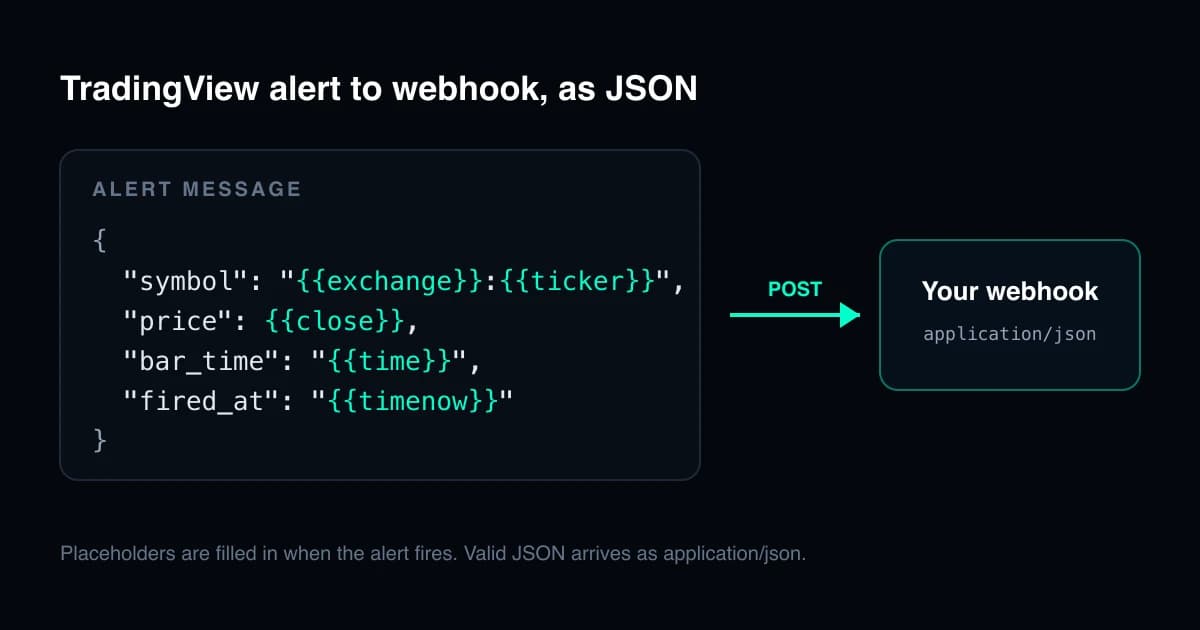
When an alert fires, TradingView sends an HTTP POST request to the webhook URL you set in the alert. The body of the request is the text of the alert message, with any placeholders already filled in: what you type in the message box, or what the script sends, is what your server receives.
The content type depends on that text. If the message is valid JSON, the request carries an application/json header; otherwise it arrives as text/plain. One stray comma turns your payload into plain text, which is the most common reason a receiver that expects JSON sees nothing.
TradingView's own requirements, from its help centre:
- Webhook alerts only work with two-factor authentication turned on for your TradingView account.
- If the URL includes a port, it must be 80 or 443; requests to other ports are rejected.
- A request is cancelled if your server takes longer than three seconds to process it.
- IPv6 is not supported, so the endpoint must be reachable over IPv4.
- Requests come from four addresses: 52.89.214.238, 34.212.75.30, 54.218.53.128 and 52.32.178.7.
- Delivery shows in the "Webhook status" column of the alert log.
Source: How to configure webhook alerts (TradingView).
A minimal JSON payload
Paste this into the alert's message box. The words in double curly braces are placeholders: TradingView replaces each one with its value when the alert fires, before the request is sent.
{
  "symbol": "{{exchange}}:{{ticker}}",
  "price": {{close}},
  "volume": {{volume}},
  "bar_time": "{{time}}",
  "fired_at": "{{timenow}}",
  "interval": "{{interval}}"
}
Two rules keep it valid. Text values go inside quotes, so "symbol": "{{ticker}}", never without them. Numbers can go without quotes, as {{close}} does here, which keeps them numeric in your parser. If a value can ever be empty, quote it and convert it on your server instead: an empty number is invalid JSON, and the whole message would then arrive as plain text.
Placeholders you can use
These are the placeholders TradingView documents for alert messages. Values are filled in from the bar that triggered the alert.
| Placeholder | What it contains |
|---|---|
| {{ticker}} | The symbol, for example AAPL or BTCUSD. |
| {{exchange}} | The exchange, for example NASDAQ. Delayed data ends in _DL or _DLY. |
| {{open}} {{high}} {{low}} {{close}} {{volume}} | The values of the bar that triggered the alert. |
| {{time}} | The bar time in UTC, as yyyy-MM-ddTHH:mm:ssZ. |
| {{timenow}} | The time the alert fired, in the same format, to the second. |
| {{interval}} | The chart interval. It can return "1" instead of the real timeframe, and always does for simple price alerts; it works as expected for indicator and drawing alerts. |
| {{syminfo.currency}} {{syminfo.basecurrency}} | The currency, and the base currency of a currency pair. |
| {{plot_0}} to {{plot_19}} | An indicator’s output series, numbered from zero; only the first 20 are available. |
| {{plot("Name")}} | An indicator’s series by name, for plot, plotshape, plotchar and plotarrow. |
Simple price alerts, such as price crossing a value, are always calculated on 1-minute bars, so their bar values come from the 1-minute bar. Full list: How to use a variable value in alert (TradingView).
Payloads for strategy alerts
Alerts on a strategy can also report the order that was just executed. These placeholders only work in strategy alerts.
{
  "secret": "replace-with-a-long-random-string",
  "symbol": "{{exchange}}:{{ticker}}",
  "action": "{{strategy.order.action}}",
  "contracts": {{strategy.order.contracts}},
  "price": {{strategy.order.price}},
  "order_id": "{{strategy.order.id}}",
  "position": "{{strategy.market_position}}",
  "position_size": {{strategy.market_position_size}}
}- {{strategy.order.action}} is "buy" or "sell".
- {{strategy.order.contracts}} and {{strategy.order.price}} are the size and price of the executed order.
- {{strategy.market_position}} is "long", "flat" or "short", and {{strategy.market_position_size}} is the size as a non-negative number.
- {{strategy.order.comment}} and {{strategy.order.alert_message}} carry text you set in the strategy’s order calls.
The secret field is not a TradingView feature. It is a value only you and your server know, so the server can ignore requests that did not come from your alert.
Building the JSON in Pine with alert()
Placeholders are documented for the message box and for alertcondition() messages. When a script calls alert(), it builds the message itself, so you write the JSON in Pine and convert numbers with str.tostring().
//@version=6
indicator("Webhook JSON example", overlay = true)

float fast = ta.ema(close, 9)
float slow = ta.ema(close, 21)

if ta.crossover(fast, slow)
    string payload = '{"event":"ema_cross_up","symbol":"' + syminfo.tickerid +
         '","price":' + str.tostring(close) + ',"time":' + str.tostring(time) + '}'
    alert(payload, alert.freq_once_per_bar_close)
Pine strings can use single quotes, which lets the JSON keep its double quotes. alert.freq_once_per_bar_closesends one alert when the bar closes rather than on the first tick that meets the condition. To use it, add the indicator to a chart, create an alert on it and choose the condition "Any alert() function call"; leave the message box as it is, because the script supplies the body.
Receiving the webhook on your server
The receiver needs to do three things: answer quickly, check that the request is yours, and hand the work to something else. A minimal Node.js receiver with Express:
import express from 'express';

const app = express();
app.use(express.json());

app.post('/tradingview', (req, res) => {
  // Reply first: TradingView cancels a request after three seconds.
  res.sendStatus(200);

  const alert = req.body;
  if (!alert || alert.secret !== process.env.WEBHOOK_SECRET) return;

  // Hand the work to a queue or a background job, never inline.
  enqueue(alert);
});

// Run it behind an HTTPS proxy or host that listens on port 443.
app.listen(3000);- Answer within three seconds. Reply 200 first, then process; anything slow belongs in a queue.
- Check the secret field, and if your firewall allows it, accept requests only from TradingView’s four addresses.
- Serve it on port 443 over HTTPS, on a host reachable by IPv4.
- Make processing safe to repeat, so the same alert arriving twice cannot place two orders.
Common mistakes
- A trailing comma after the last field. JSON does not allow it, and the message arrives as plain text.
- Curly quotes pasted from a document or chat app instead of straight double quotes.
- A text placeholder without quotes, such as "symbol": {{ticker}}, which is invalid JSON once filled in.
- Expecting placeholders inside an alert() message. Build the values into the string in Pine instead.
- An endpoint that does its work before replying and runs past three seconds.
- A URL with a port other than 80 or 443, or a host with only an IPv6 address.
- Forgetting two-factor authentication, without which TradingView does not send webhooks at all.
How IIF sends its alerts
The Institutional Imbalance Framework uses the alert() approach above. You create one TradingView alert on the indicator with the condition "Any alert() function call", and every event you switch on in its settings is sent through it with its own flat JSON body, once per bar close. Flat means no nesting and no arrays, so spreadsheets and no-code tools can read it as easily as a server can. Route events by their event field on your side.
The event list, the payload fields and setup steps are in the IIF alerts and webhooks documentation.
Questions
Why does my TradingView webhook arrive as text/plain?
Because the alert message is not valid JSON once the placeholders are filled in. TradingView only sends application/json when the message parses as JSON. Look for a trailing comma, curly quotes, or a text placeholder without quotes around it.
How long does my server have to respond?
Three seconds. TradingView cancels requests that take longer, so reply with 200 straight away and do the slow work afterwards.
Which IP addresses send TradingView webhooks?
TradingView lists four: 52.89.214.238, 34.212.75.30, 54.218.53.128 and 52.32.178.7. Check its help centre before allowlisting them, in case the list changes.
Can I use {{close}} inside an alert() message in Pine Script?
Placeholders are documented for the alert message box and for alertcondition() messages. With alert(), build the message in the script and convert numbers with str.tostring().
Why does {{interval}} return 1?
TradingView documents that {{interval}} can return "1" instead of the real timeframe, and always does for simple price alerts and Range charts. It works as expected for alerts on indicators and drawings.